
See eBusinessGate in action, step by step.
A guided walkthrough of every part of the platform - from operations dashboards to the module builder, HR controls, live business modules, risk management and rule-based taxation.
See your whole business at a glance
A clear dashboard for tasks, performance, approvals and key numbers. Shared visibility keeps teams aligned so nothing falls through the cracks.
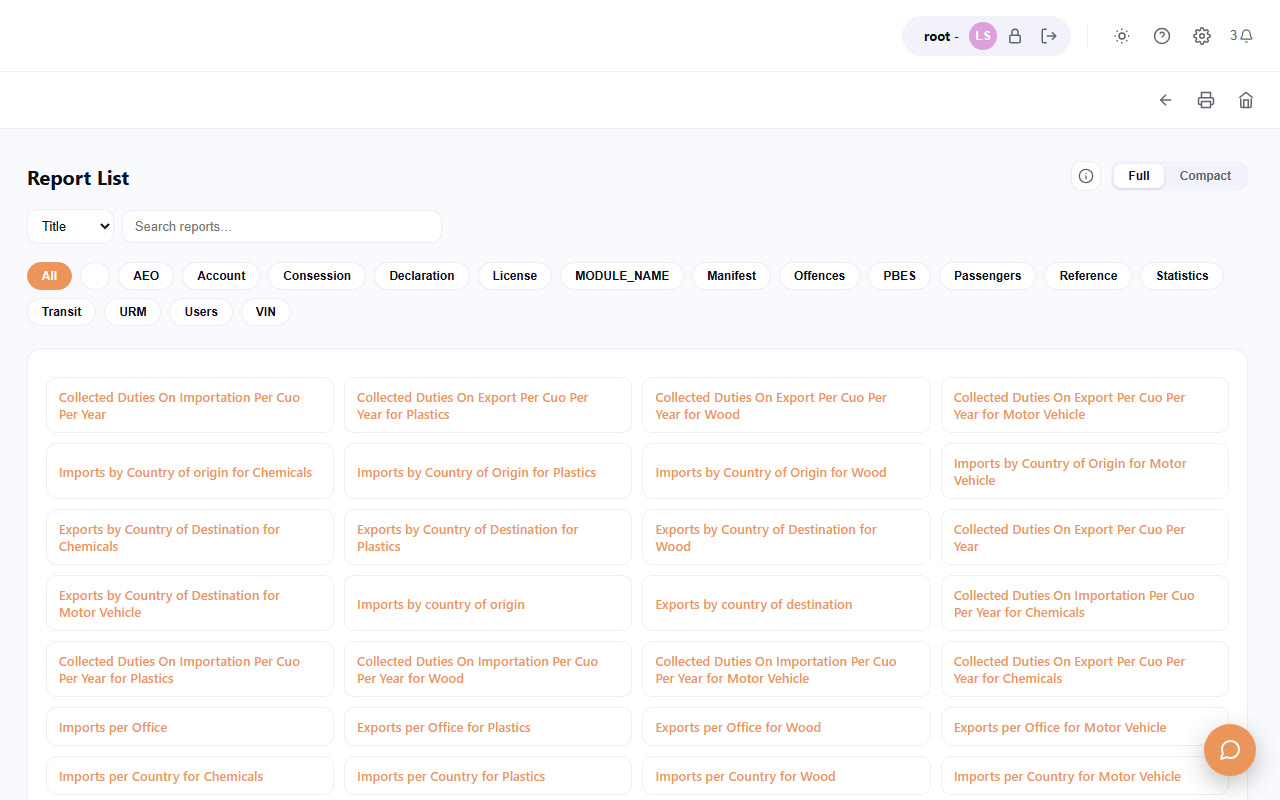
Reports cover every output style - visual, graphical, maps, or plain record lists.
Build modules in a guided sequence
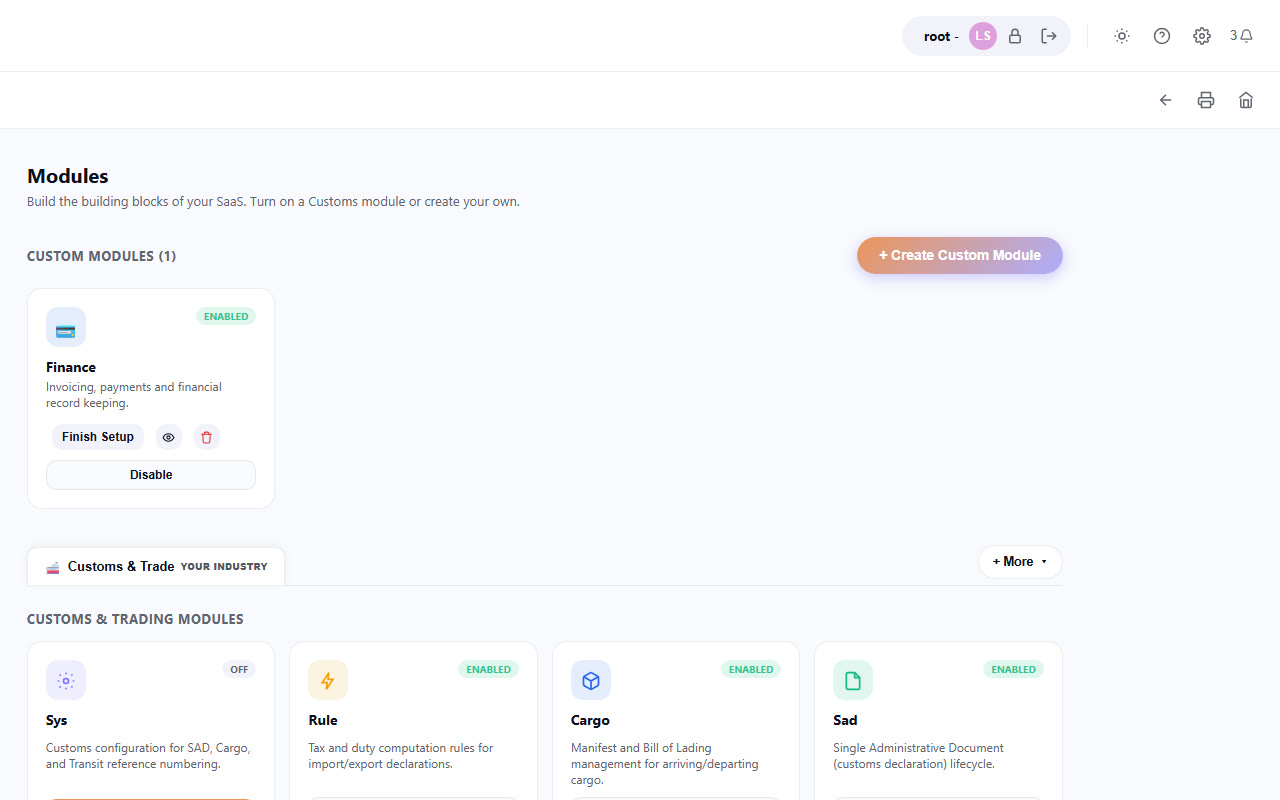
Create, configure, view and update every kind of module. The builder walks you through in a systematic, friendly order.
Create modules, manage users, groups and teams, and reach every report from a single control center.
Manage people and permissions with confidence
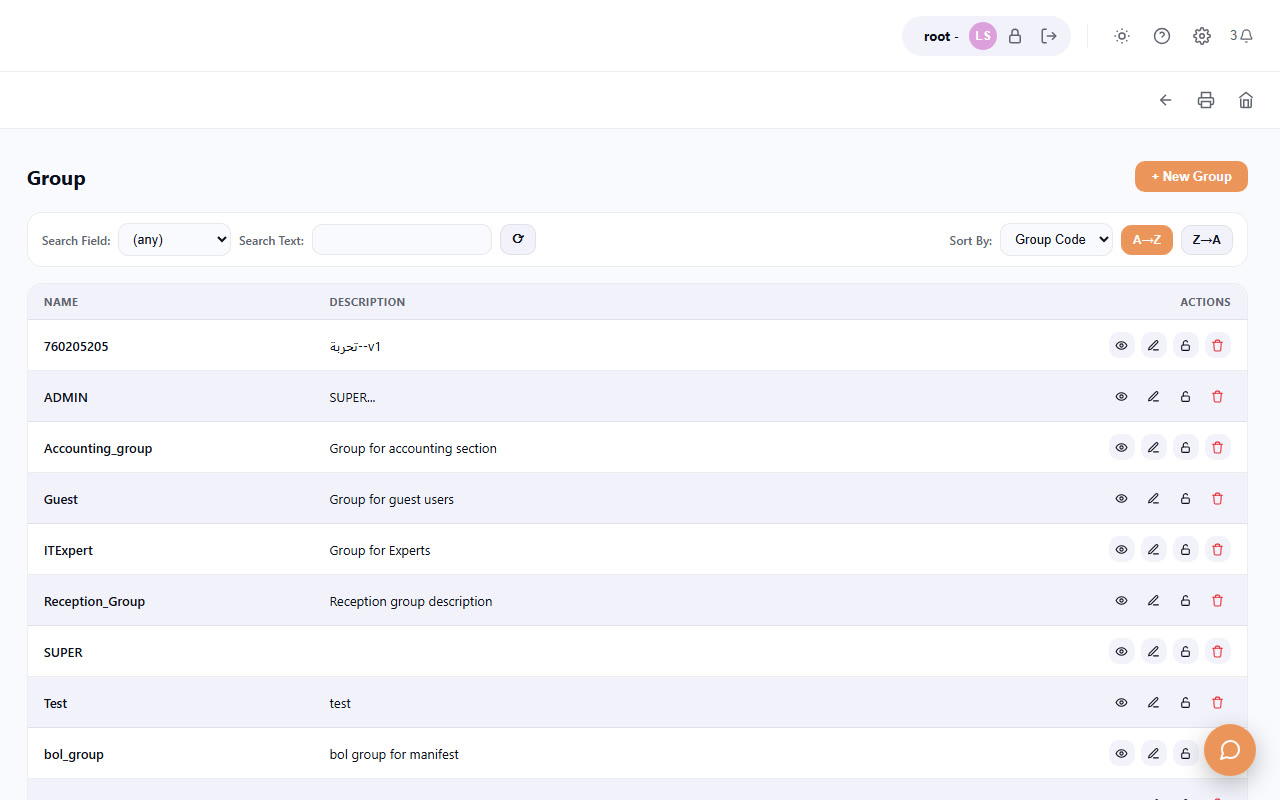
Update groups and users, capture full profiles, and monitor who is doing what - all from a single admin surface.
Configure groups from the main menu using every option available.
Real examples of e-documents in production
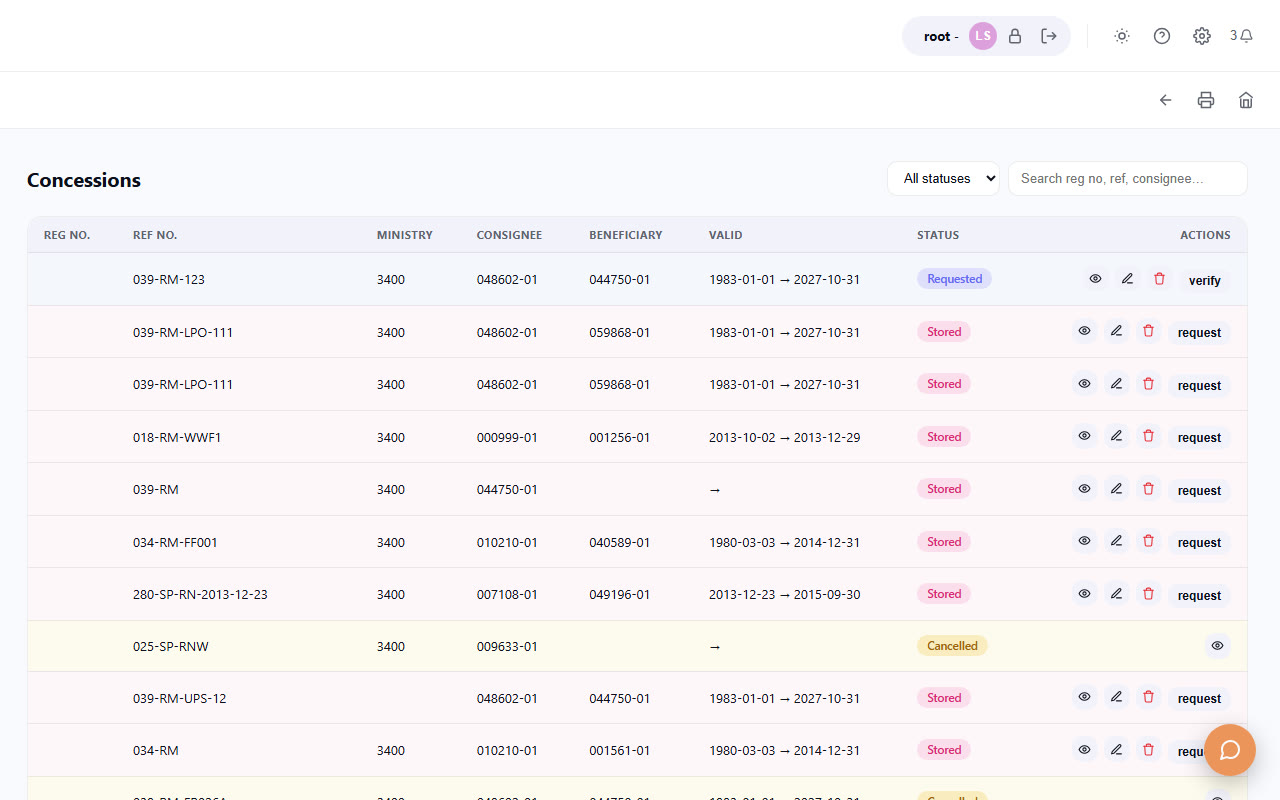
Cargo, bill of lading, customs declarations, passengers, transit, concessions, offences, licenses - each with its own list, form and action bar.
Access a new module with a fresh user and password.
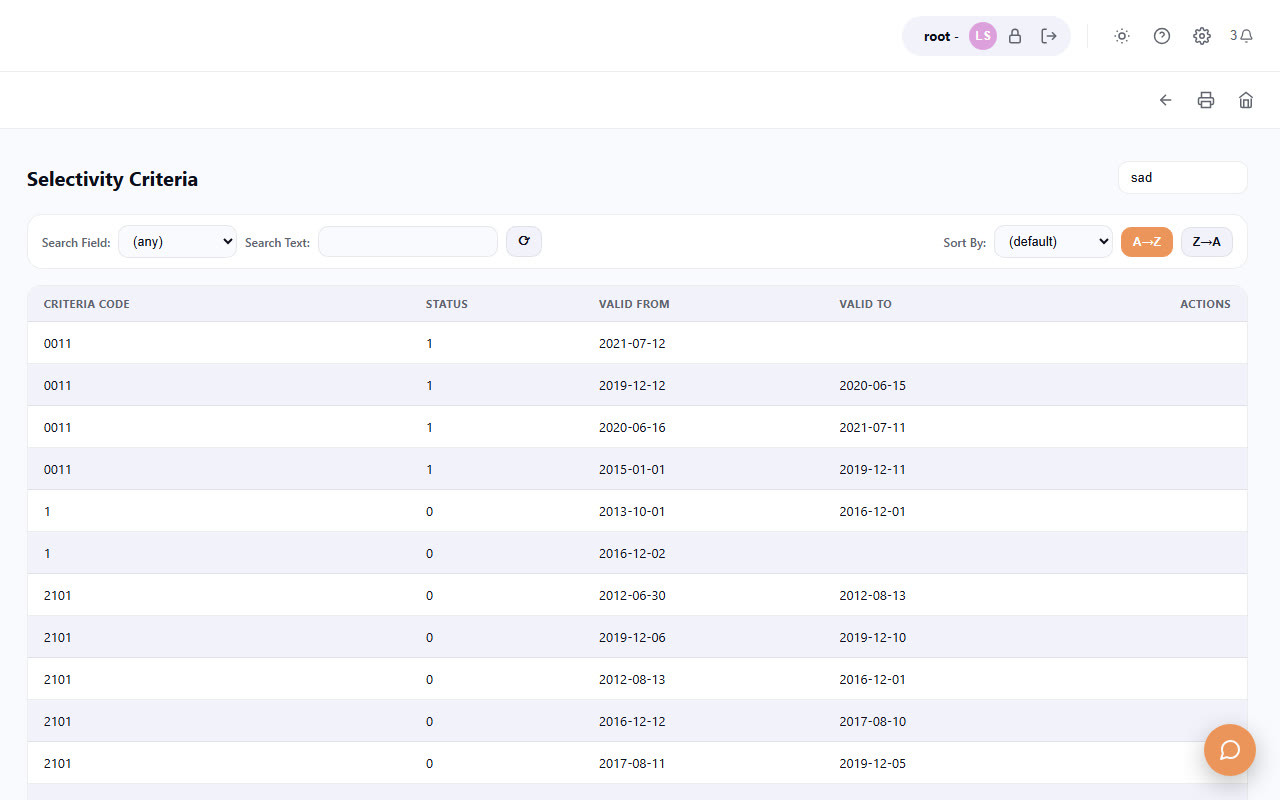
Selectivity, verification and valuation, orchestrated
Configure criteria, selectivity lists, examiners, sections, workload, valuation and the feeders that power the selectivity engine.
Selectivity module - the full criteria list.
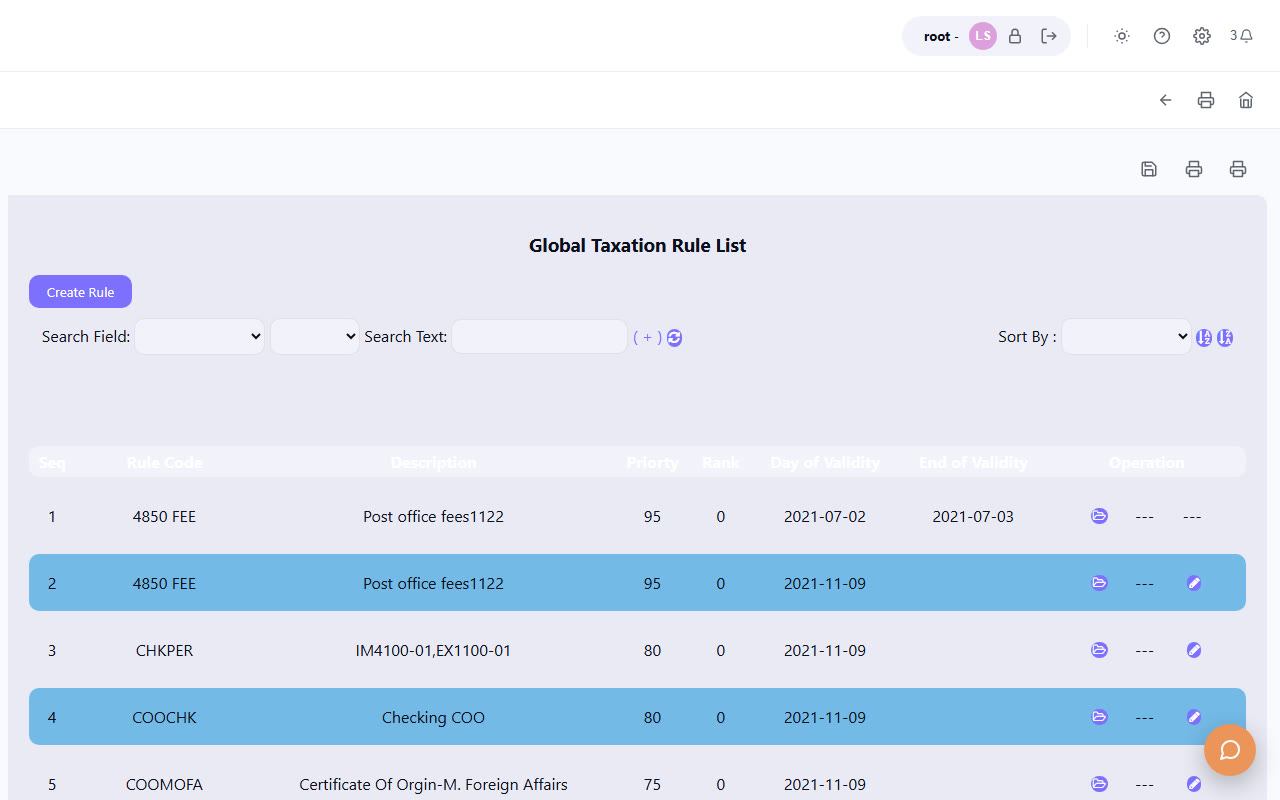
Configure how taxes and duties are calculated
Write and manage the rules customs declarations use to compute taxes and duties - at document and item level, across tariff, import and export.
Rules taxation module - used by customs declarations to calculate taxes.
Ready to build your first module?
Sign up, follow the guided flow, and put your first e-document into production - no implementation required.